
Hole in One Quoting Experience with Embedded AI Guidance
This case study explores how an AI chat assistant was embedded directly into the Hole in One quoting experience to reduce agent friction, improve accuracy, and increase confidence throughout the entire flow. Rather than introducing AI as a standalone tool, the goal was to design it as a continuous support layer that adapts to the agent’s progress and provides guidance exactly when it is needed.
The result is a quoting experience where agents no longer have to leave the form, search documentation, or email underwriting to get answers. Instead, help is built into the workflow itself.
Role
UX Designer
Year
2025
Context - What is a Hole -in-One Insurance Quote?
A hole-in-one insurance quote is an estimate for how much it would cost to insure a golfer (usually during a tournament) against the expense of a prize if someone makes a hole-in-one.
In many golf events, there’s a big reward—like a car, cash, or trip—if a player gets a hole-in-one. Instead of the event organizer risking paying that out themselves, they buy insurance.
Fun Fact: A hole-in-one quote is very rare, there’s only a 1 in 12,000 chance it’ll happen!
Our primary user in this case are the agents, they are the ones who submit these quotes!
The Problem
Agents already had access to a functional Hole in One quoting tool, but the experience still created friction. Most issues stemmed from uncertainty rather than complexity.
Agents frequently questioned:
Whether an event was eligible
Why a quote was referred to underwriting
What caused a premium to change
Which rules applied to specific hole configurations
To resolve these questions, agents had to jump between the quoting form, program documentation, FAQs, and underwriting emails. This slowed down the process, increased errors, and reduced confidence when communicating with clients.
The Goal
The goal was to reduce agent friction by embedding guidance directly into the quoting experience. Instead of pulling agents away from the form, the system should:
Provide real-time answers to eligibility and rules questions
Guide agents through complex inputs
Explain system decisions clearly and transparently
Automate repetitive tasks where possible without sacrificing accuracy or compliance
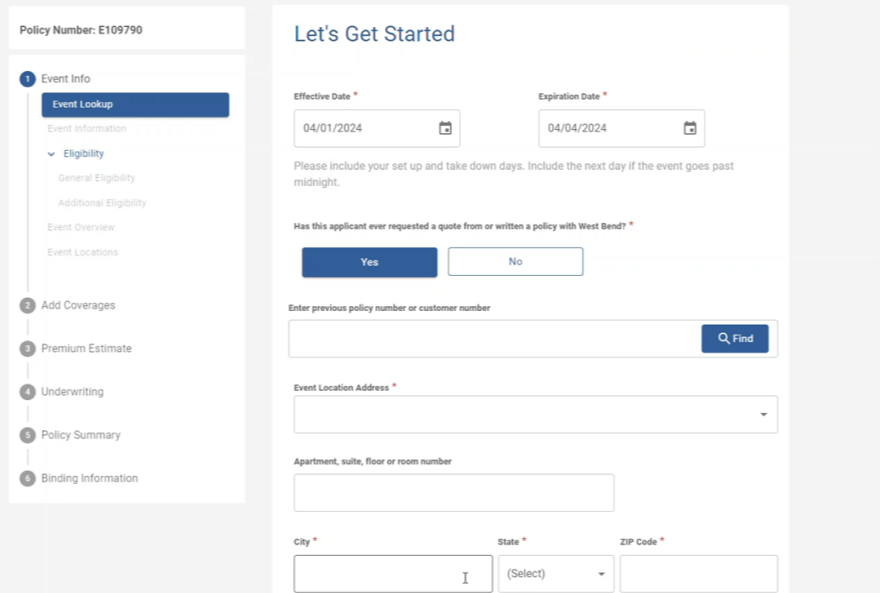
The current version of the Hole in One quoting app doesn’t include any chat experience, meaning when quotes are moved to referrals users don’t know why items are being flagged and cant vet this process before uploading applications.
AI Chat Development & Design
•
AI Chat Development & Design •
Research & Validation
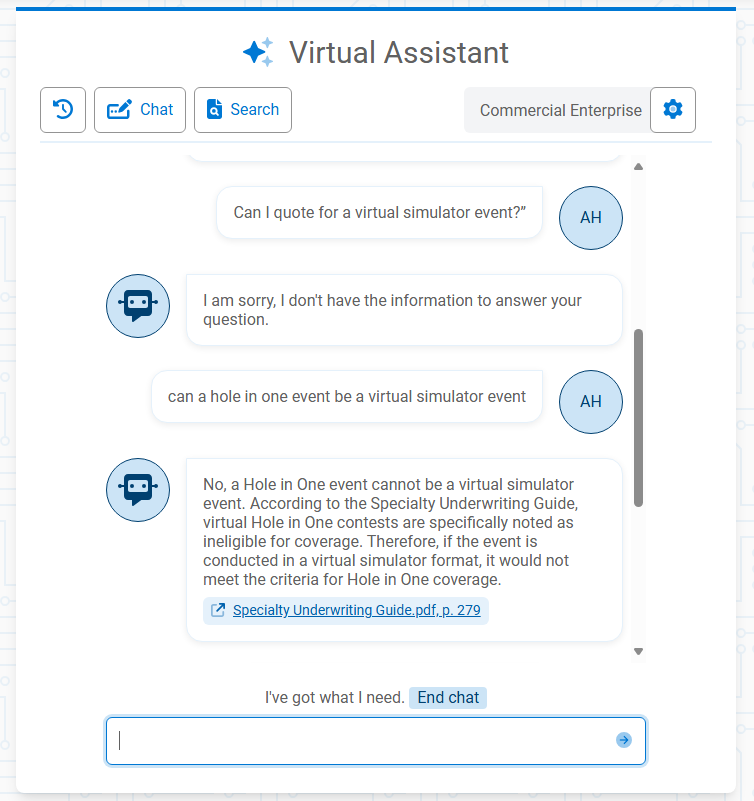
I worked closely with VAL, West Bend’s Virtual Assistant, along with one of our developers, to understand how the AI functions, what data it can access, and how frequently it updates.
I tested VAL using real Hole in One agent questions to identify where it succeeded and where it struggled. This testing revealed that accurate responses required access to:
Program rules and eligibility thresholds
Referral logic and constraints
Application and form-completion guidance
Some questions had to be rephrased to align with the AI’s capabilities. For example, instead of asking “How do I calculate the premium for this event?”, a more effective prompt was “What information do I need to calculate the premium for this event?”
These findings directly informed:
Which rules and documentation were embedded into the AI
Where additional documentation needed to be uploaded
When the AI should defer to system logic instead of responding
AI Chat Design
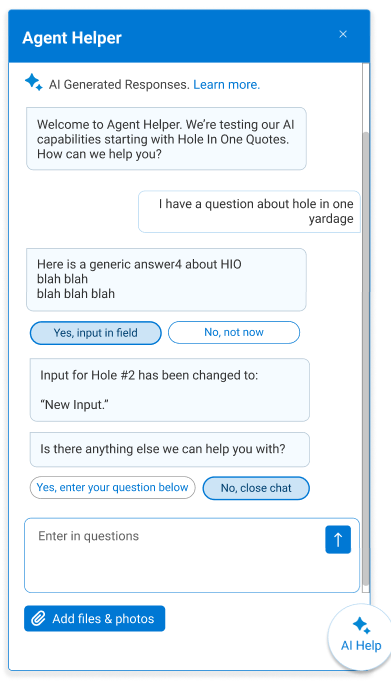
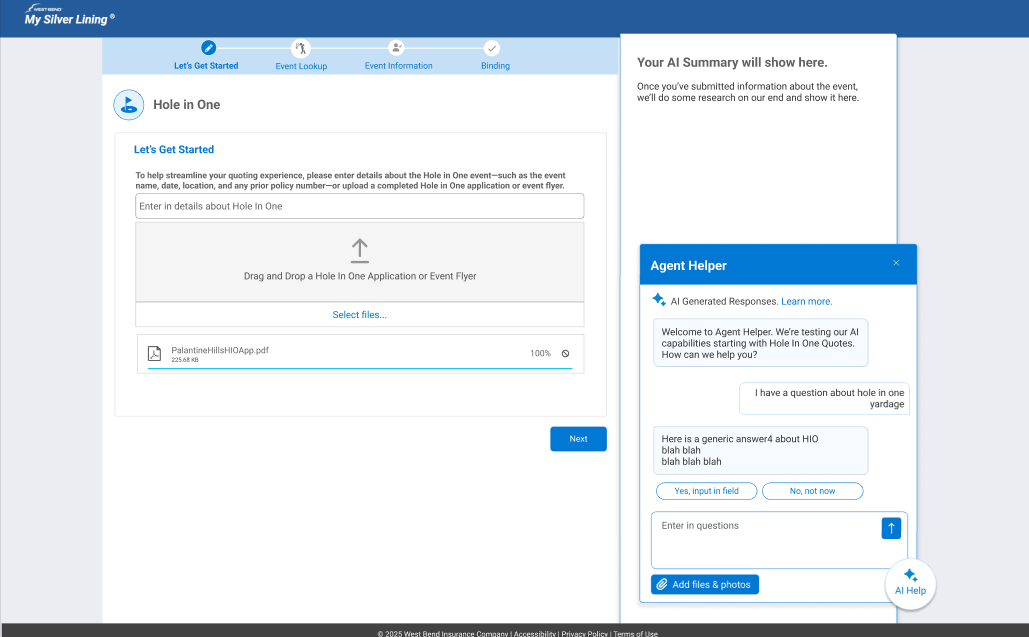
The Agent Helper chat is an embedded, just-in-time support layer that lives alongside the quoting form. It uses familiar chat patterns and clear AI labeling to reduce learning effort and focuses on confirming inputs, proposing next steps, and keeping agents moving forward.
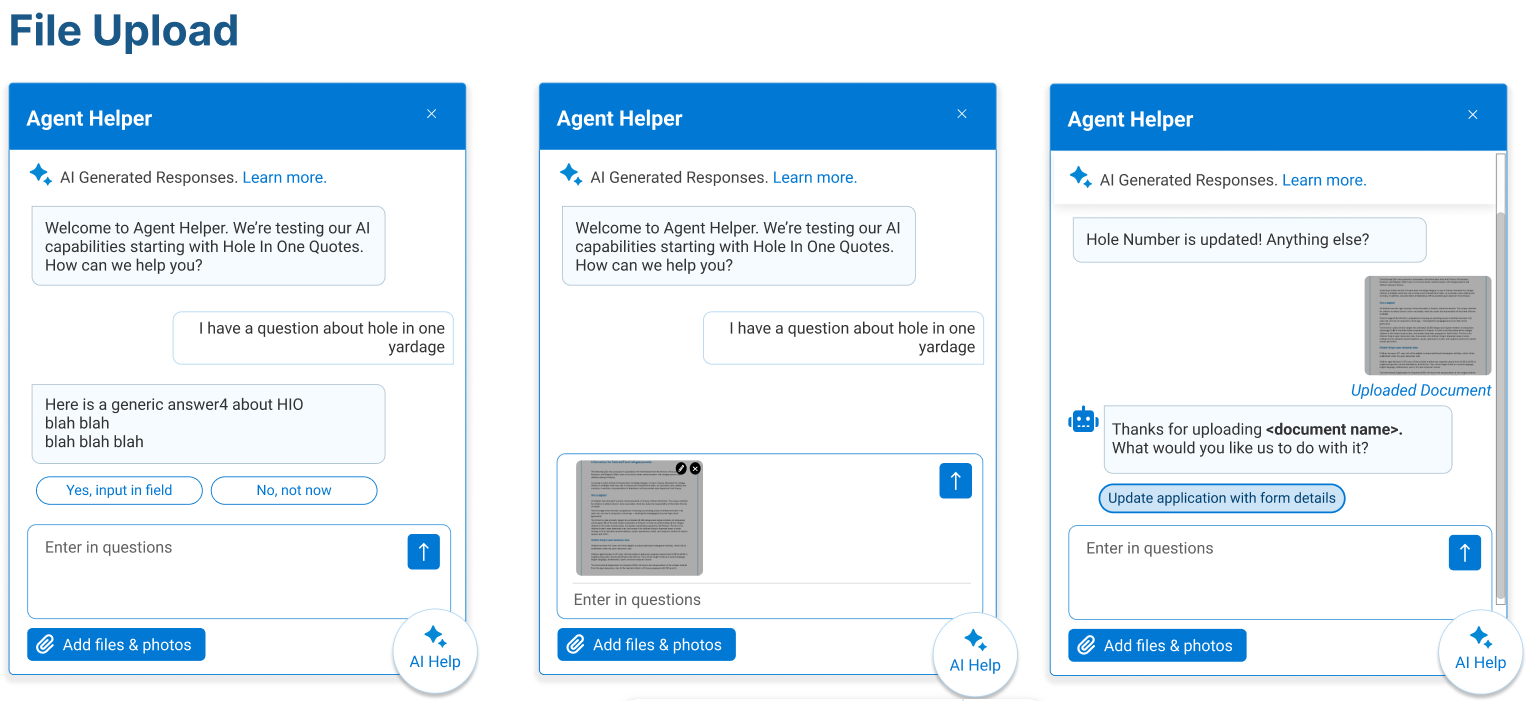
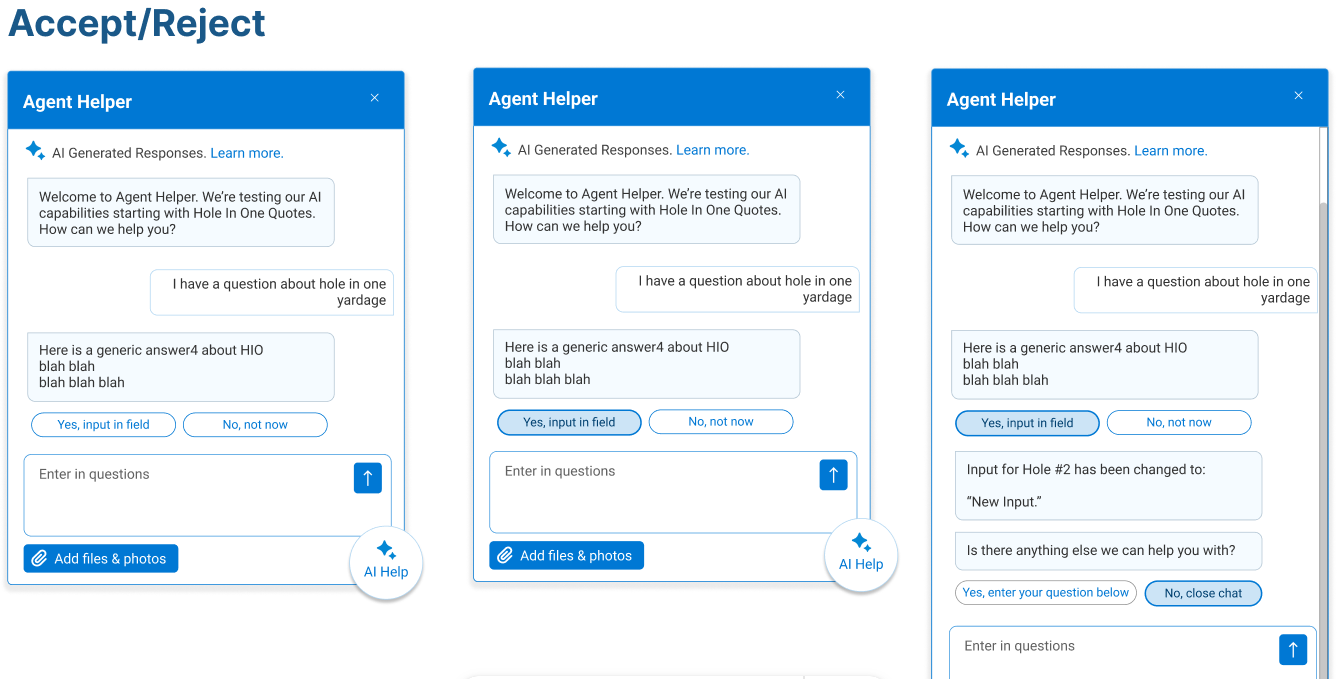
Shared control is central to the design. When the AI suggests updates such as inserting yardage or using data from an uploaded document, agents must explicitly accept or reject the change. Uploaded files are acknowledged, summarized, and confirmed before updating the quote, ensuring accuracy, trust, and transparent automation.
End-to-End Hole in One Quoting Experience
The following walkthrough illustrates a complete “happy path” Hole in One quote with no referrals or errors. By referral, this means the agent can’t finalize or approve anything on their own and must send it to someone else (usually an underwriter or higher authority) for review and approval. Each step highlights how the AI chat supports the agent throughout the experience, even when the process is proceeding smoothly. Rather than reacting only to issues, the AI provides proactive guidance, confirmation, and clarity at key moments.
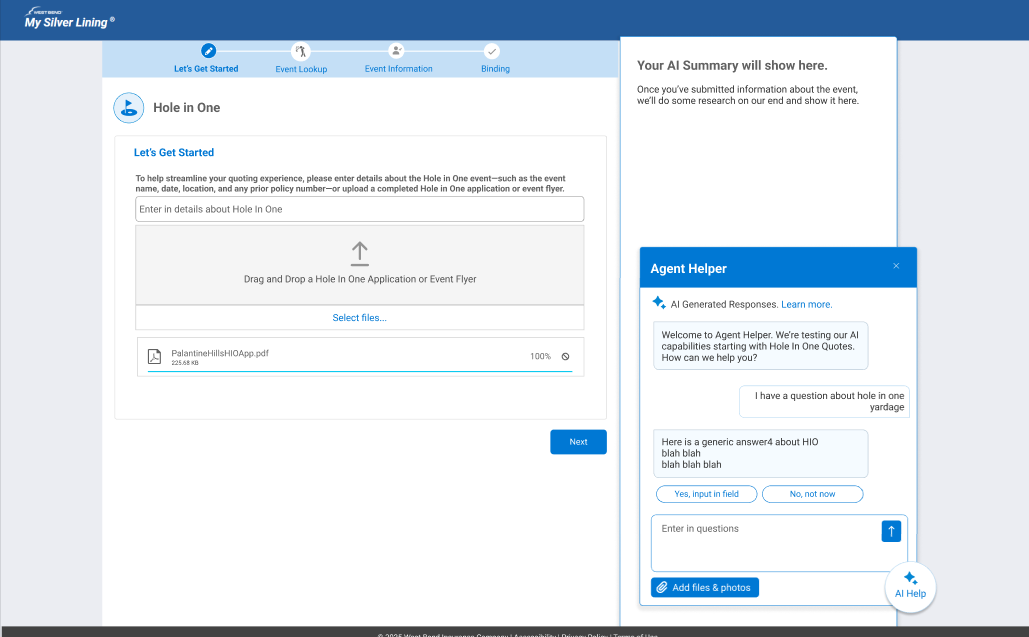
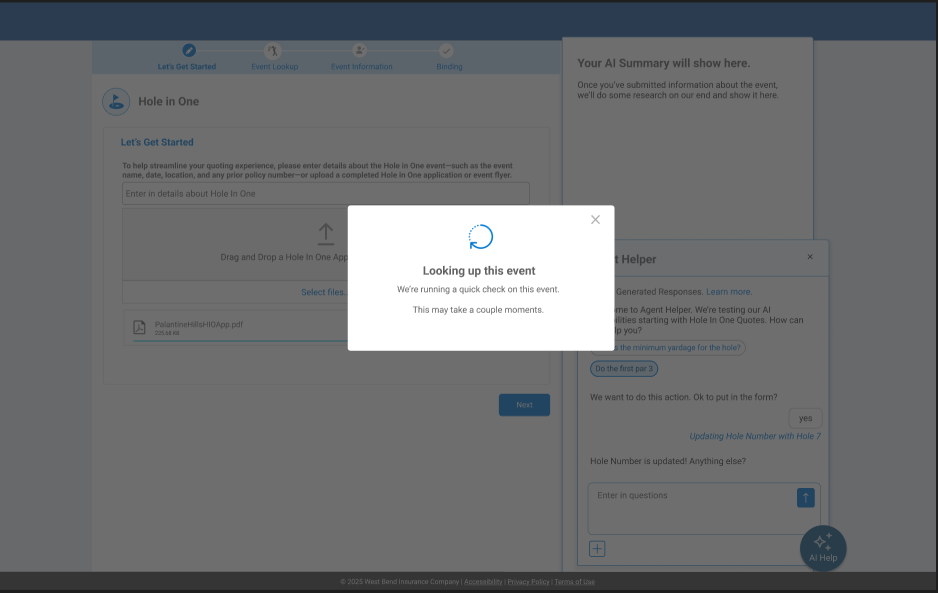
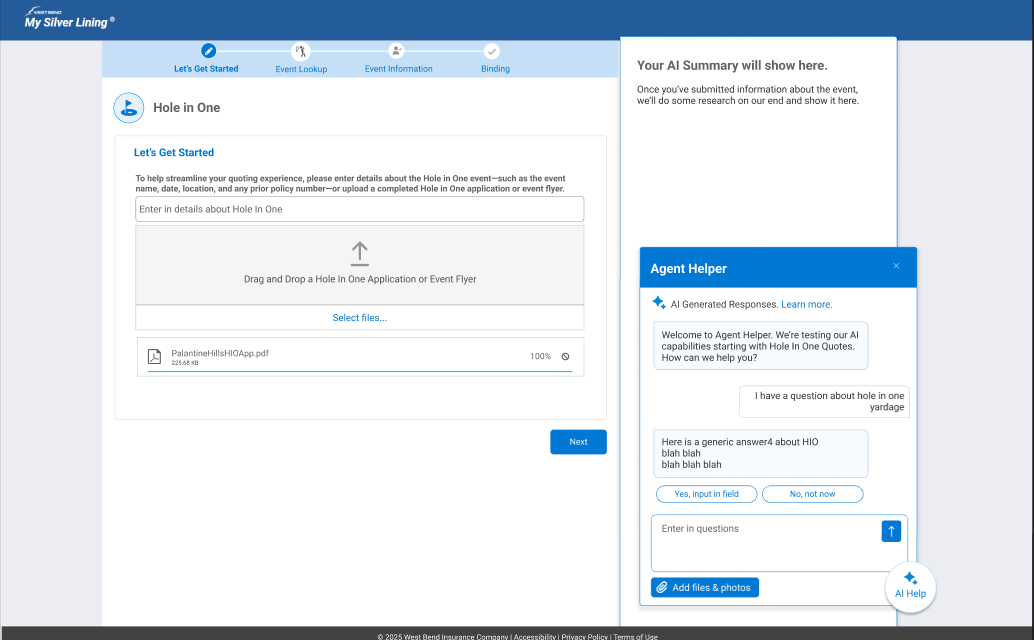
Screen 1: Document Upload & Event Recognition
AI Role: Information Extraction & Guided Action
The agent uploads an event flyer while asking a rules question in parallel. This is processed by via an iDocP. AI analyzes the document and responds contextually, then asks for confirmation before entering any information into the quote, keeping the agent in control while reducing manual entry.
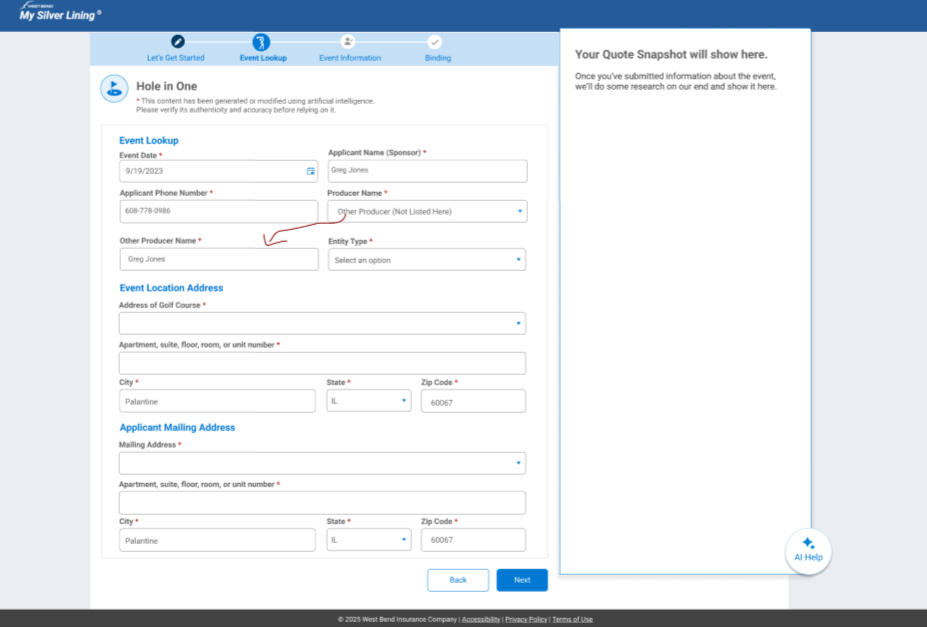
Screen 2: Event Lookup in Progress
AI Role: Background Verification & Status Feedback
After an application is uploaded, the system verifies event details in the background and shows progress only when needed to maintain transparency without slowing the flow.
Screen 3: Event Lookup & Auto-Population
AI Role: Data Matching & Form Prefill
The system uses uploaded and entered details to locate the event and automatically populate key fields, reducing manual entry while keeping the agent in control.
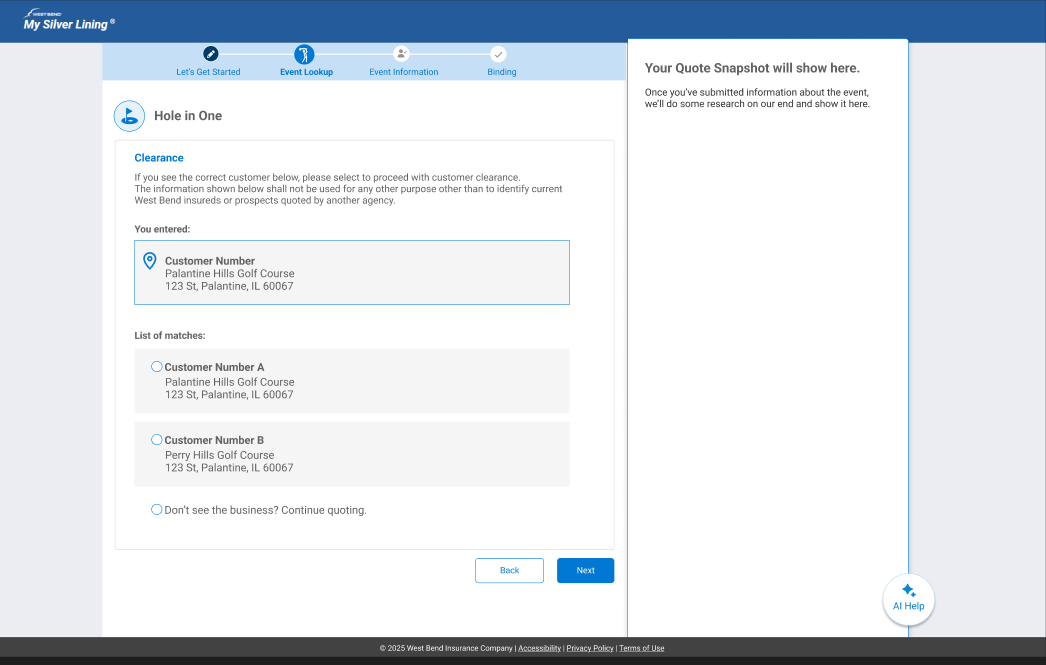
Screen 4: Customer Clearance Match
AI Role: Identity Resolution & Decision Support
Potential customer matches are surfaced automatically, allowing the agent to select a verified record or continue without one to prevent duplicates while staying in control.
Screen 5: Binding in Progress
AI Role: Process Transparency & System Coordination
Even with no referrals, the system requires a signed application before binding. This step shows binding in progress, keeping the agent informed while backend checks and validations complete.
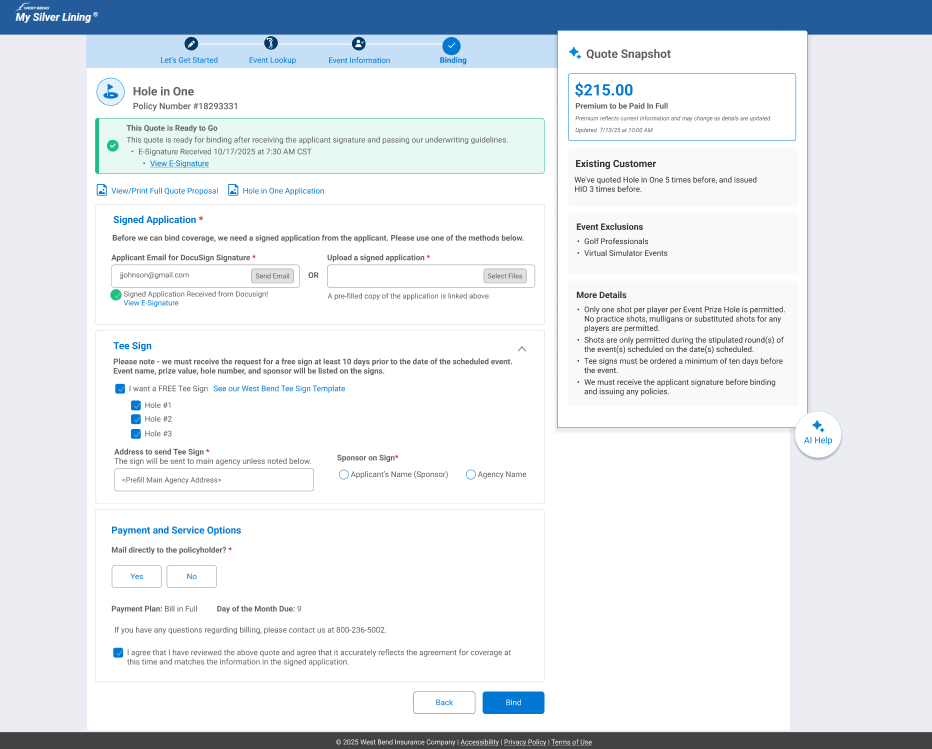
Screen 6: Ready to Bind Confirmation
AI Role: Status Validation & Next-Step Guidance
With no referrals and all signatures received, the system confirms the quote is ready to bind, giving the agent a clear signal to proceed with confidence.
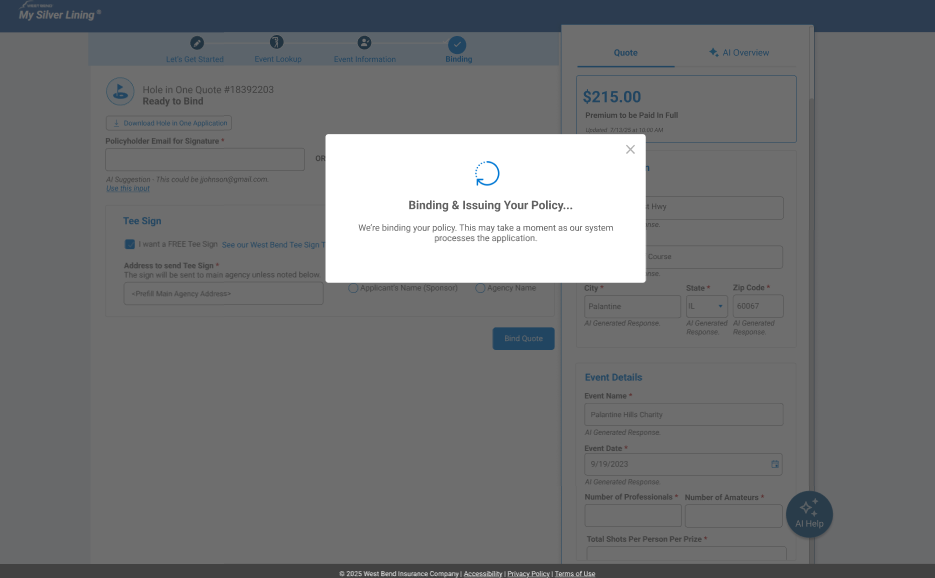
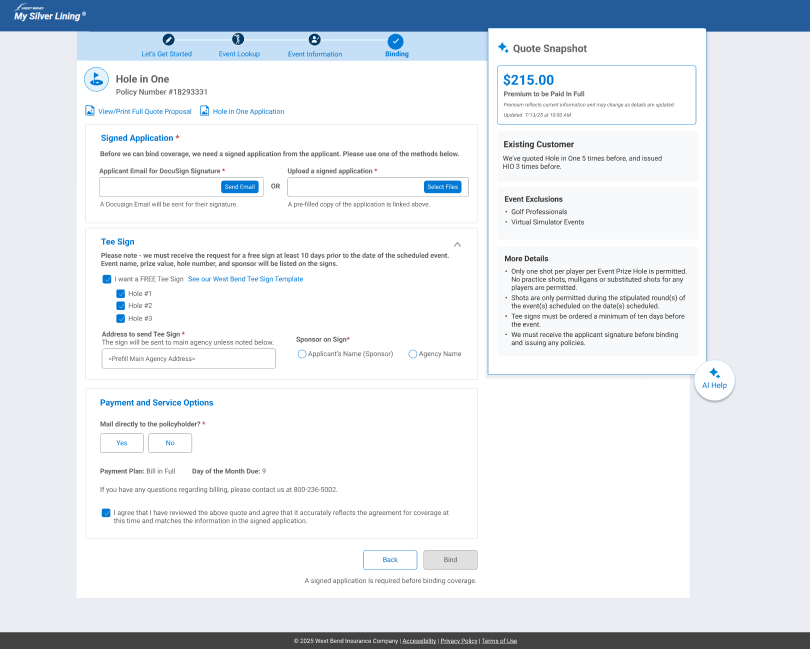
Screen 7: Binding Requirements Review
AI Role: Final Verification & Decision Support
The agent reviews remaining binding requirements and payment options while AI remains available to clarify rules or next steps before final submission.
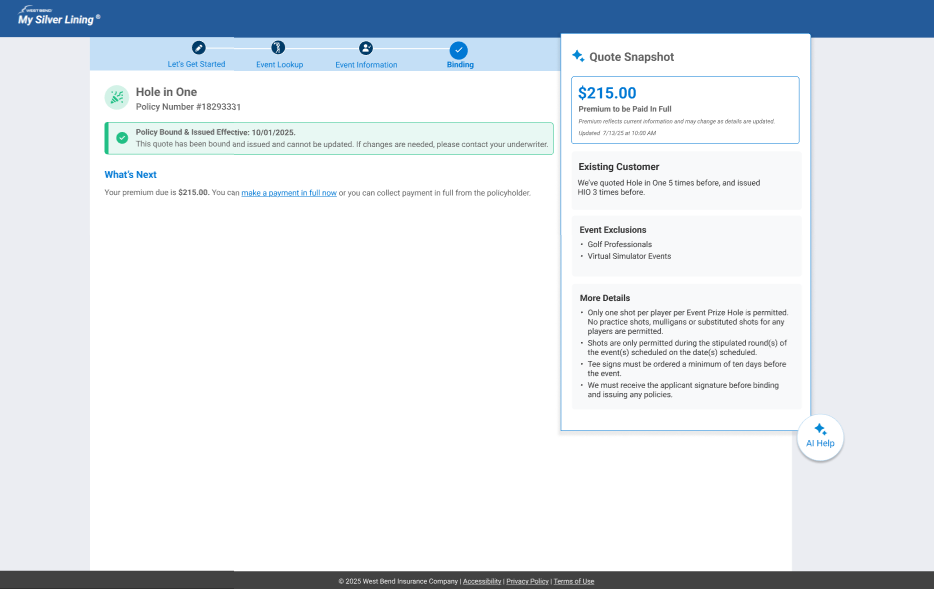
Screen 8: Policy Issued Confirmation
AI Role: Outcome Assurance & Process Closure
Once all requirements are met, the system confirms successful issuance with a clear green banner, signaling completion of the process and reinforcing confidence that coverage is now active.
Why this Matters?
These design decisions turn a complex insurance workflow into a guided, confidence-building experience.
Progress tracker reduces uncertainty
The persistent step tracker orients users at all times, lowering cognitive load and preventing drop-off in a high-stakes, multi-step process.AI acts as a co-pilot, not an autopilot
AI extracts information, answers questions in context, and suggests actions, but always requires human confirmation before updating critical data, preserving agent control while reducing manual work.Continuous system feedback builds trust
Binding modals, signature status messages, and the final green issuance banner replace uncertainty with clear confirmation that the process is moving forward.End-to-end transparency improves confidence
Together, these patterns transform a fragmented workflow into a visible, reliable journey that reinforces trust at every stage.